ONERP Manager · Android
Your business in your pocket.
See today's summary, enter sales orders and payments in the field, count stock and find products by barcode. Sign in with your existing ONERP account.
Download the Android appNo account? Try it
Android 8 or later. The app is not on Google Play yet; you can always download the latest version from this page.
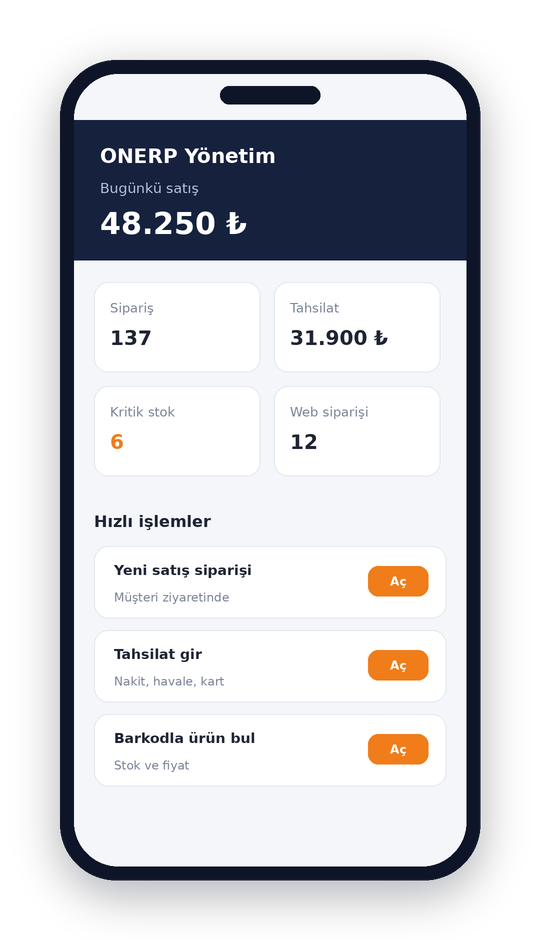
Keep track
Daily summary and reports
See sales, collections, stock and order status at a glance.
Account statements
Review customer and supplier balances, invoices and payments.
Web orders
Follow orders from your online store.
Work in the field
Sales orders and payments
Record the order and payment right at the customer visit.
Barcode, stock counts and transfers
Find products by barcode, enter counts and warehouse moves from your phone.
Products and photos
Update product details and add product photos with your phone camera.
Install in three steps
1
Download
Tap "Download the Android app" and open the downloaded ONERP Manager file.
2
Install
If Android asks, allow your browser to install apps and tap "Install". It updates over the previous version.
3
Sign in
Enter your company workspace, email and password; if two-factor authentication is on, type the code.
On a computer but want to install it on your phone?
Point your phone camera at the code; this page opens on your phone and you can continue the download there.
Your data is not stored on the phone; it stays in your ONERP environment. If you lose your phone, just change your password.